Quotation to GST return, without a second software.
The same app that dials your leads makes the quotation, the tax invoice and the monthly GST figures. No re-typing into a separate billing tool.
- 01Quotation
Items, HSN/SAC, discounts and GST. CGST + SGST or IGST is picked from the customer's state or GSTIN.
- 02Proforma invoice
One click from the accepted quotation. Take an advance against it.
- 03Tax invoice
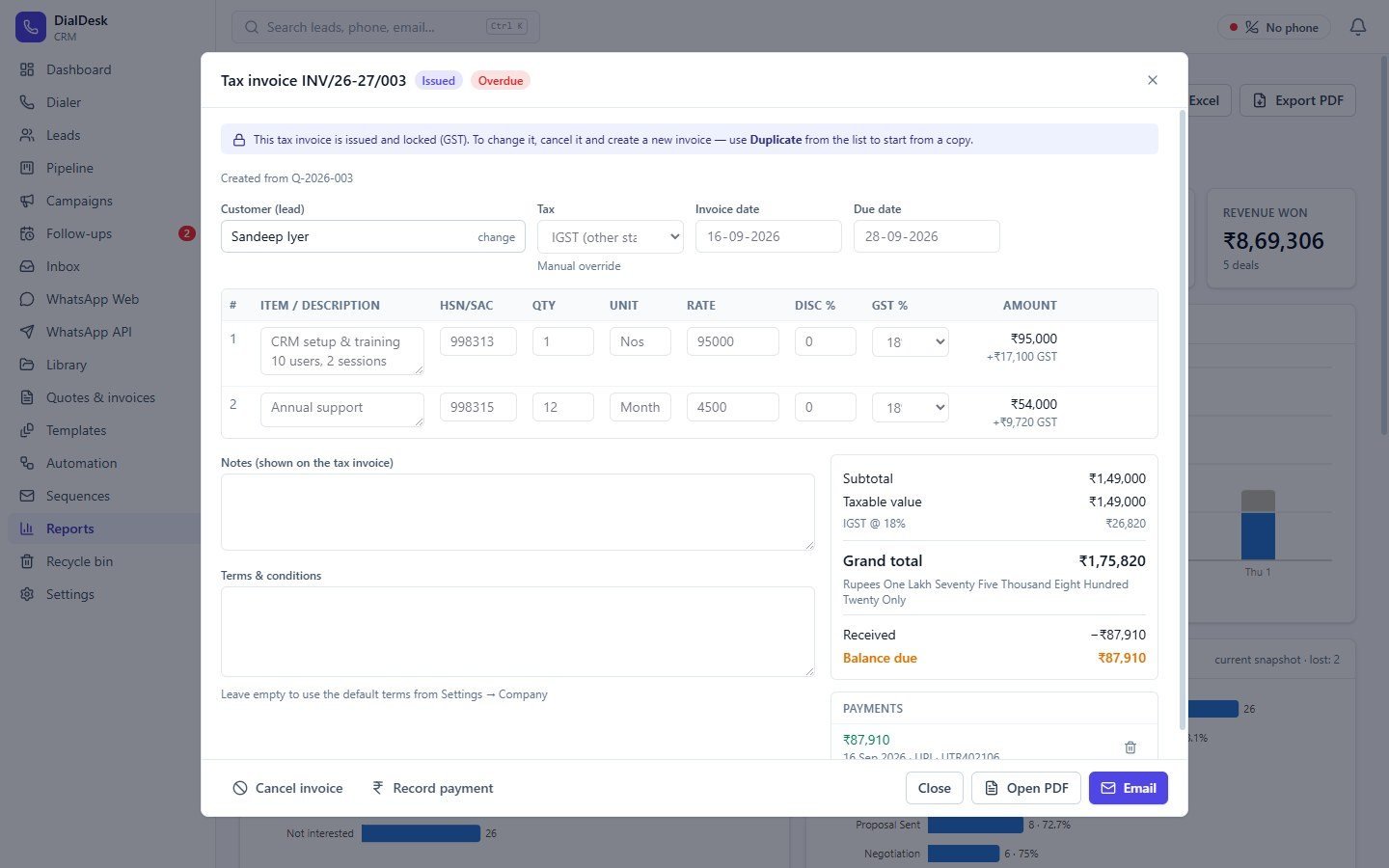
Numbered from your GST series (INV/26-27/001) when you issue it, then locked.
- 04Payment
Record UPI, bank, cash or cheque receipts. Advances move across from the proforma.
Know what was quoted, won and collected
Quotations sent today, this week and this month. Win rate, open quotations, invoices issued, payments received and money outstanding — by day, week or month.
- Today / this week / this month / quarter / financial year
- Charts of quotations sent vs accepted
- Quoted, invoiced and received in rupees
- GST collected: CGST, SGST and IGST
- Top customers by invoiced value
- Balance due and overdue invoices at a glance

Invoices that look like your brand — with a UPI QR
Pick Classic, Modern or Minimal, choose your colour and font, add your logo, signature and company stamp. Proforma and tax invoices can carry a "scan to pay" UPI QR with the balance already filled in.
- Three layouts, any brand colour
- Logo left, centre or right; small to large
- Show or hide HSN, unit, discount and tax summary
- Bank details, declaration and footer line
- Signature and company stamp images
- A4 or Letter; PDFs update automatically when you change the design

Your GSTR-1 and GSTR-3B figures, every month
Built from the tax invoices you issued and the purchase bills you uploaded. Download the Excel file in the GST Offline Tool layout or the GSTR-1 JSON for the portal.
B2B (Table 4A)
Invoices to registered customers, rate-wise, with place of supply and reverse charge.
B2C Large (Table 5)
Inter-state invoices above ₹1 lakh to unregistered customers.
B2C Small (Table 7)
All other B2C sales, summarised by state and rate.
Nil rated (Table 8)
0% supplies, split inter / intra-state and registered / unregistered.
HSN summary (Table 12)
Separate B2B and B2C lists with the correct UQC unit codes.
Documents issued (Table 13)
Invoice number range, total and cancelled invoices.
GSTR-3B working
Outward supplies, inter-state B2C by state, eligible ITC and the tax to pay in cash.
Check before filing
Warnings for invalid GSTINs, missing HSN codes, wrong IGST / CGST and unissued drafts.


Every supplier bill in one place — and its GST credit
Snap a photo or attach the PDF of each purchase bill, or import your GSTR-2B Excel from the GST portal. DialDesk adds up your input tax credit and sets it off in the order the GST law sets: IGST first, then CGST and SGST.
- Upload bills: PDF, photo or scan
- Supplier GSTIN decides IGST or CGST + SGST
- Import GSTR-2B or any Excel register; duplicates skipped
- ITC eligible / ineligible and reverse charge
- Unpaid bills and bills missing a file flagged
- Purchase register in the monthly Excel

GST figures are prepared from the documents you enter in DialDesk CRM. Check them with your accountant and match ITC with GSTR-2B before filing. Filing on the GST portal is done by you or your accountant.
Make your next invoice in DialDesk
Every billing and GST feature is included in the 7-day free trial.